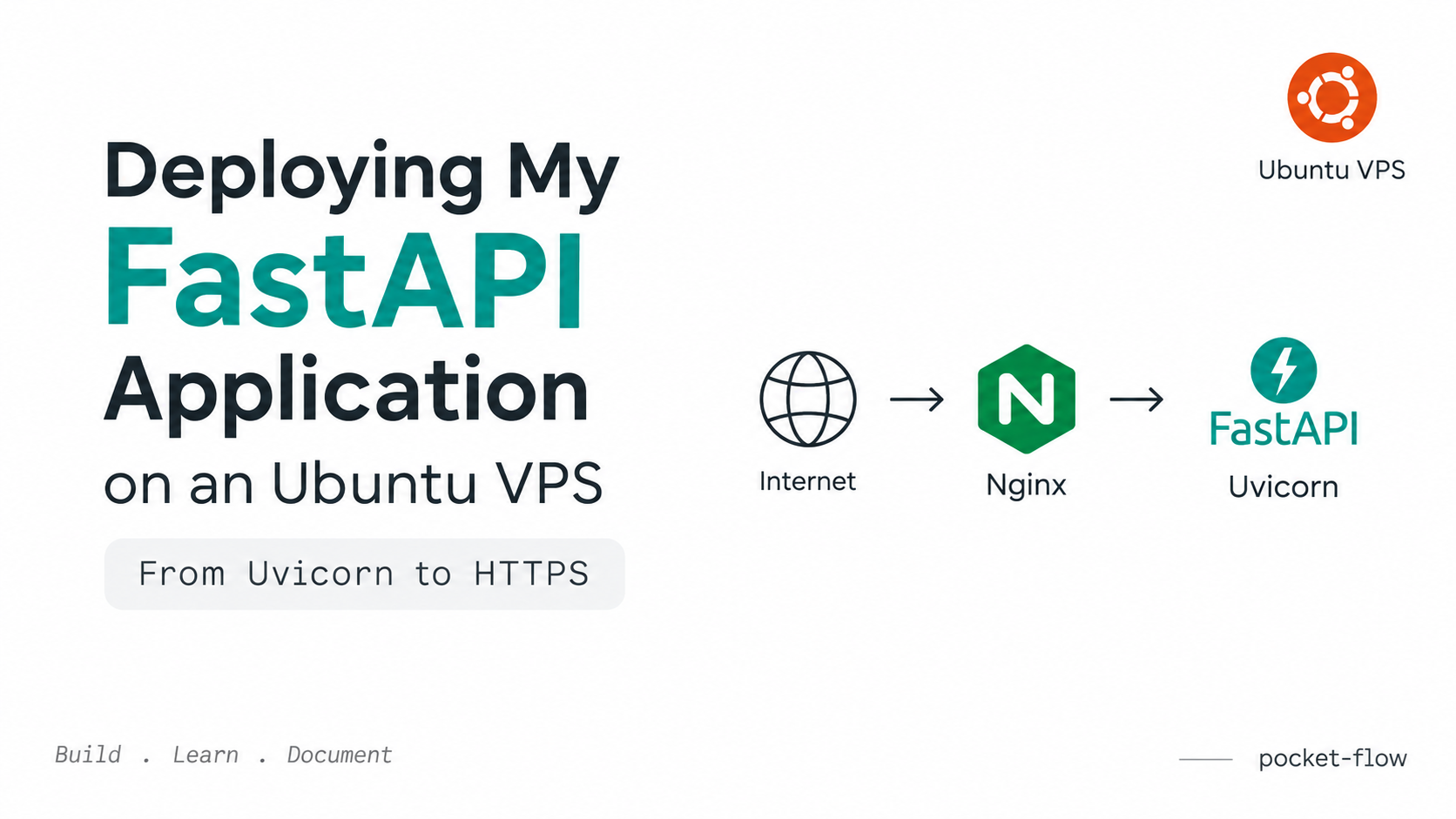
Recently, I was setting up one of my backend applications on an Ubuntu VPS from InterServer. I thought the deployment would be simple: upload the project, install the dependencies, run Uvicorn, and that's it.
But while doing it, I came across a few things which I had to understand properly, especially Uvicorn, DNS, Nginx, ports, HTTPS, and virtual environments.
So I'm writing down the process here, mainly for myself and anyone who is also doing this for the first time.
1. Running FastAPI with Uvicorn
My application is a FastAPI application.
After setting up the virtual environment and installing the dependencies, I ran the application using:
uvicorn app.main:app --host 0.0.0.0 --port 8000Here:
app.main:appmeans my FastAPIappis insideapp/main.py--host 0.0.0.0means it can accept connections from outside the server--port 8000means Uvicorn is running on port8000
I could then access my application using:
http://162.35.175.67:8000And the Swagger documentation:
http://162.35.175.67:8000/docsBut there was one problem.
If I close the SSH connection, the application can also stop because it is attached to that terminal session.
So I used nohup:
nohup uvicorn app.main:app --host 0.0.0.0 --port 8000 > app.log 2>&1 &Now Uvicorn runs in the background and continues running after closing the SSH session.
I checked it using:
ps aux | grep uvicornand I could see Uvicorn running.
2. Connecting a Domain to the Server
I didn't want to use the IP address every time.
I wanted something like:
api.pocket-flow.jotech.inMy VPS is hosted on InterServer, but I manage the DNS for the domain through GoDaddy.
So I added an A record in GoDaddy DNS:
Type:  A
Name:  api.pocket-flow
Value: 162.35.175.67
TTL:   600
After adding it, I checked from my computer:
nslookup api.pocket-flow.jotech.inIt returned:
api.pocket-flow.jotech.in
162.35.175.67
So the DNS was working.
One thing I learned here is that DNS doesn't care about the port.
For example, this is not what you put in the DNS record:
162.35.175.67:8000The DNS record only points to the IP address:
162.35.175.67The port is handled separately.
3. Understanding the Port
This was something I wanted to understand properly.
If I open:
http://api.pocket-flow.jotech.in:8000the browser first uses DNS to find the IP:
api.pocket-flow.jotech.in
162.35.175.67
Then it connects to port 8000:
162.35.175.67:8000My Uvicorn application is listening on that port.
So the request reaches:
Uvicorn
FastAPI
But if I open:
http://api.pocket-flow.jotech.inI don't specify a port.
For HTTP, the browser uses the default port:
80So the request goes to:
162.35.175.67:80But my Uvicorn application is running on:
162.35.175.67:8000So something needs to receive the request on port 80 and pass it to my application.
That's where Nginx comes in.
4. Installing Nginx
I installed Nginx on my InterServer Ubuntu VPS:
sudo apt update
sudo apt install nginx -y
Then checked:
sudo systemctl status nginxIt showed:
Active: active (running)So Nginx was running successfully.
5. Configuring Nginx
I created a configuration file:
sudo nano /etc/nginx/sites-available/pocket-flowThen added:
server {
    listen 80;
    server_name api.pocket-flow.jotech.in;

    location / {
        proxy_pass http://127.0.0.1:8000;

        proxy_set_header Host $host;
        proxy_set_header X-Real-IP $remote_addr;
        proxy_set_header X-Forwarded-For $proxy_add_x_forwarded_for;
        proxy_set_header X-Forwarded-Proto $scheme;
    }
}
Then I checked the Nginx configuration:
sudo nginx -tIt returned:
syntax is ok
test is successful
Then I enabled the site:
sudo ln -s /etc/nginx/sites-available/pocket-flow /etc/nginx/sites-enabled/and reloaded Nginx:
sudo systemctl reload nginxNow I could access my API using:
http://api.pocket-flow.jotech.in/docsI didn't need to add :8000 anymore.
6. Understanding What Nginx Is Doing
This was probably the most useful thing I understood from the setup.
When I open:
http://api.pocket-flow.jotech.in/docsthe request reaches my server on port 80.
Nginx receives the request and passes it to Uvicorn, which is running on port 8000.
The basic flow is:
                         Internet
                            │
                            ↓
              api.pocket-flow.jotech.in
                            │
                            ↓
                     162.35.175.67
                            │
                            ↓
                         Nginx :80
                            │
                            ↓
                    Uvicorn :8000
                            │
                            ↓
                         FastAPI
Nginx is acting as a reverse proxy.
The browser doesn't need to know that my FastAPI application is running on port 8000.
This also gives me a proper place to handle things like HTTPS, request routing, headers, and other web-server related configuration.
7. Adding HTTPS
The next thing I wanted was:
https://api.pocket-flow.jotech.ininstead of:
http://api.pocket-flow.jotech.inFor this, I used Let's Encrypt with Certbot.
I installed Certbot and then ran:
sudo certbot --nginxCertbot configured the SSL certificate with Nginx.
After that, I could access:
https://api.pocket-flow.jotech.in/docsThe architecture now looks like:
                         Internet
                            │
                            ↓
              api.pocket-flow.jotech.in
                            │
                            ↓
                     162.35.175.67
                            │
                            ↓
                        Nginx :443
                            │
                            ↓
                    Uvicorn :8000
                            │
                            ↓
                         FastAPI
Nginx handles the HTTPS connection, while Uvicorn continues running the FastAPI application.
So I don't need to configure SSL directly inside Uvicorn.
8. One Small Mistake I Made With the Virtual Environment
This was a simple mistake, but I think it's worth mentioning.
After changing my .env, I wanted to restart Uvicorn.
I stopped the old process and tried:
nohup uvicorn app.main:app --host 0.0.0.0 --port 8000 > app.log 2>&1 &But it failed with:
Exit 127Then I noticed that my terminal prompt was:
root@vps3602820instead of:
(venv) root@vps3602820I had closed SSH and opened it again, so the virtual environment was not activated.
I fixed it with:
source /root/projects/backend/venv/bin/activateThen:
nohup uvicorn app.main:app --host 0.0.0.0 --port 8000 > app.log 2>&1 &worked again.
This reminded me that the virtual environment stays on the server, but it is not automatically activated in every new SSH session.
9. What I Have Now
My current setup is basically:
                         Internet
                            │
                            ↓
              api.pocket-flow.jotech.in
                            │
                            ↓
                     162.35.175.67
                            │
                            ↓
                        Nginx :443
                            │
                            ↓
                    Uvicorn :8000
                            │
                            ↓
                         FastAPI
And my API is accessible through:
https://api.pocket-flow.jotech.ininstead of directly using:
http://162.35.175.67:8000There is still one thing I want to improve.
Right now, I'm using nohup to keep Uvicorn running. For a proper production setup, I should configure systemd for the FastAPI application.
That would allow the application to:
- Start automatically after a server reboot
- Restart if the application crashes
- Be managed using
systemctl - Avoid manually activating the virtual environment every time
For now, this setup helped me understand something I had seen many times but never properly understood.
DNS, ports, Nginx, reverse proxy, Uvicorn and HTTPS are different pieces, and they work together to make a backend application available through a proper domain.